
Select a colour
Click an image colour. Refine the selection with tolerance controls, brushes or a polygon.
Web · Windows · Image recolouring
Change the colour. Keep the shading.
Formerly Hex Shift. Your images stay on your device.
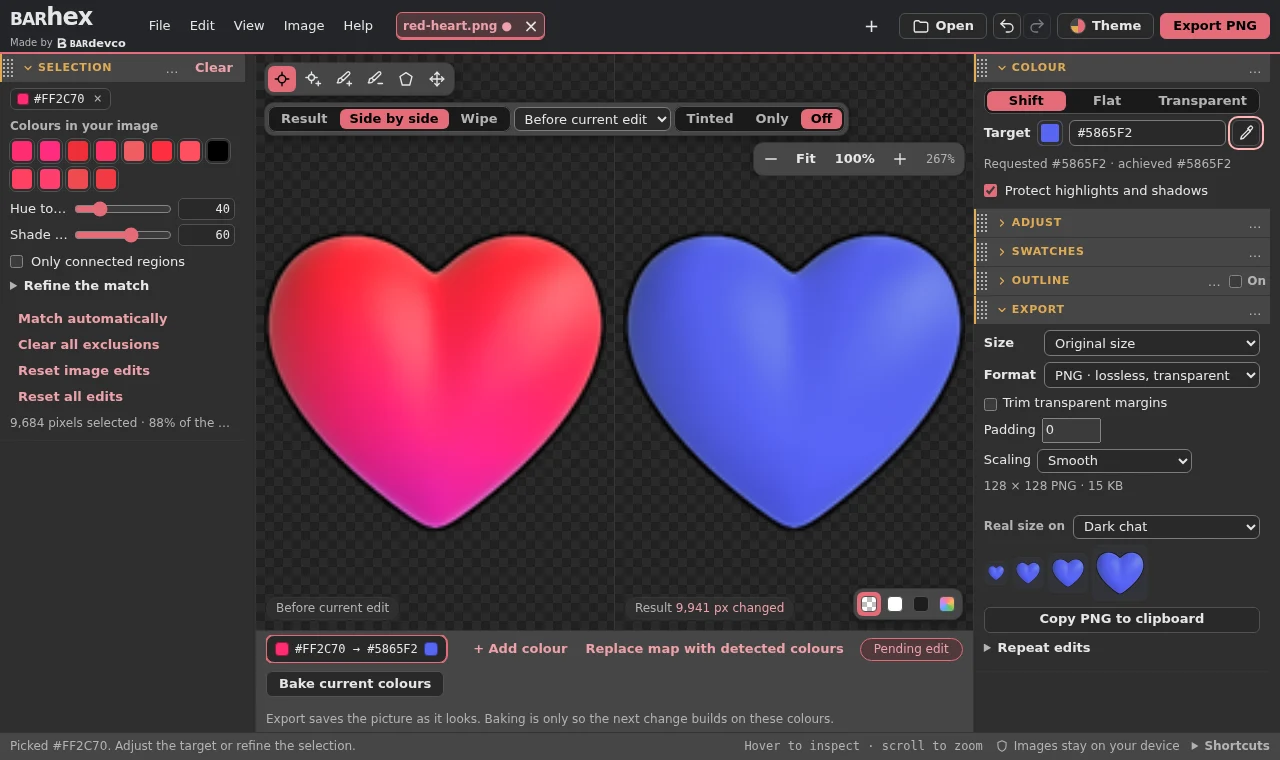
Click an image colour. Refine the selection with tolerance controls, brushes or a polygon.
Shift the hue while preserving highlights and shadows, apply an exact flat colour or make the selection transparent.
Save PNG or WebP with transparency. Choose emoji and sticker sizes or export a ZIP of palette variants.
Windows 10 (1809 or newer) or Windows 11, .NET Framework 4.8 and Microsoft Edge WebView2. Setup installs for your own Windows account.
Barhex checks for signed updates automatically and asks before installing. Use Help → Check for updates to check manually. Save your session before restarting. A portable executable and self-contained HTML are also on the releases page.
The installer has no Windows publisher certificate, so SmartScreen may show a warning. Compare the installer’s hash with SHA256SUMS.txt in the release.
Get-FileHash .\Barhex-<version>-Setup.exe -Algorithm SHA256Barhex opens PNG, JPEG, WebP, GIF and static SVG. Animated files open as stills. Your work stays local, and existing .hexshift sessions still open.
Barhex uses the MIT licence. The portable package includes its licence notices.